
How to Reset a Garage Door Opener: Power Reset, Remote Reset, and Full Erase
There are three kinds of reset, and one of them erases every remote and keypad. Read this before you press anything. If you would rather skip it, call us. Emergency service is available 24/7.
- Which reset you actually need
- What each reset erases
- Warnings before you start
- Remotes, keypads, and car buttons programmed for you
- Emergency service available 24/7
Want Us to Do It?
Tell us what you need reset or reprogrammed.
Which Reset Do You Need?
“Reset” can mean three different things. Pick the goal first.
| Your goal | What to do | What it erases |
|---|---|---|
| Restart the electronics | Unplug the opener for about a minute, then plug it back in | Nothing, in most cases. Check your manual |
| Add a remote or keypad | Press and release the Learn button, then press the remote button within about 30 seconds. Steps differ by brand and model | Nothing |
| Remove every remote and keypad | Hold the Learn button until the LED turns off, about 6 seconds on LiftMaster and Chamberlain openers | Every remote and keypad, and the old codes |
| Fix the travel limits or force | This is not a reset. Follow your manual, and test the safety reverse afterward | Nothing, but it affects safety |
The Full Erase: What It Does and When to Use It
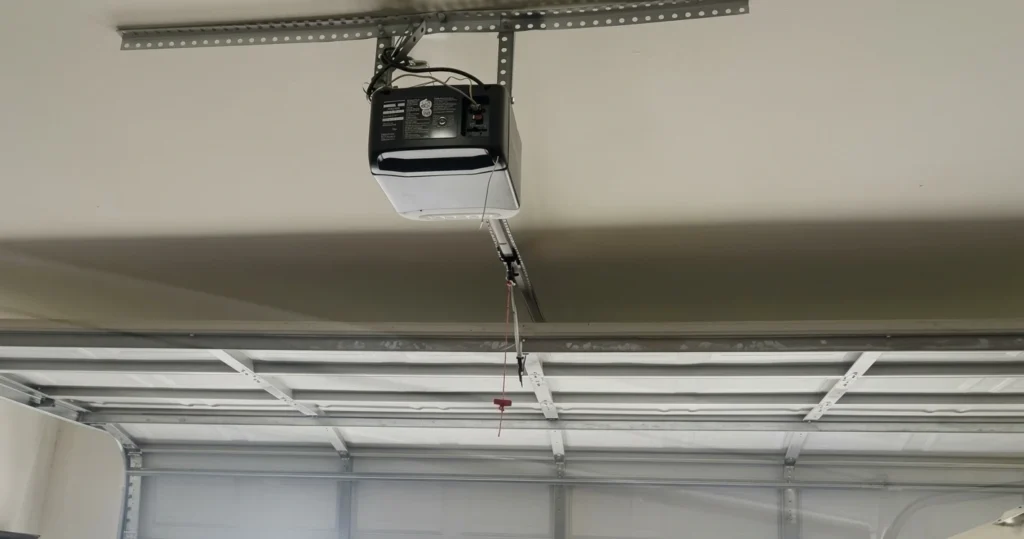
Holding the Learn button until the LED turns off erases all remotes and keypads from the opener at once, and all the old codes with it, according to LiftMaster support. On LiftMaster and Chamberlain openers that takes about 6 seconds.
Use it when you buy a home, lose a remote, or want to remove old access. Do not use it to fix a remote that has a weak battery. After a full erase, nothing works until you reprogram it.
Before you erase
- Every remote and keypad stops working
- Your car button stops working until it is reprogrammed
- Smart devices may need to be reconnected
- Keep every remote you want to use nearby
- The Learn button is on the motor unit, often under the light cover. Use a stable ladder, and do not open the housing
Safe Steps for a Power Reset
No tools needed. Reach the plug only if you can do it safely.
1. Make sure it is safe
Reach the plug from the floor or a stable ladder. If you cannot reach it safely, call us.
2. Unplug it
Unplug the opener and wait about a minute. Do not open the housing.
3. Plug it back in and test
Plug it in and test the wall button once. If it works, test the remote. If nothing changes, a reset is not the fix.
When a Reset Is Not the Answer
Opener not working
Power, locks, sensors, and worn parts cause most failures.
Remote not working
A weak battery or lock mode comes before a reset.
Door will not close
The photo eyes are the usual cause, not memory.
Resetting Different Brands
The Learn button steps above apply to many LiftMaster and Chamberlain openers. Genie and other brands use different buttons and light colors. See our guides to LiftMaster, Chamberlain, Genie, and Craftsman openers, and check your manual.
What we do
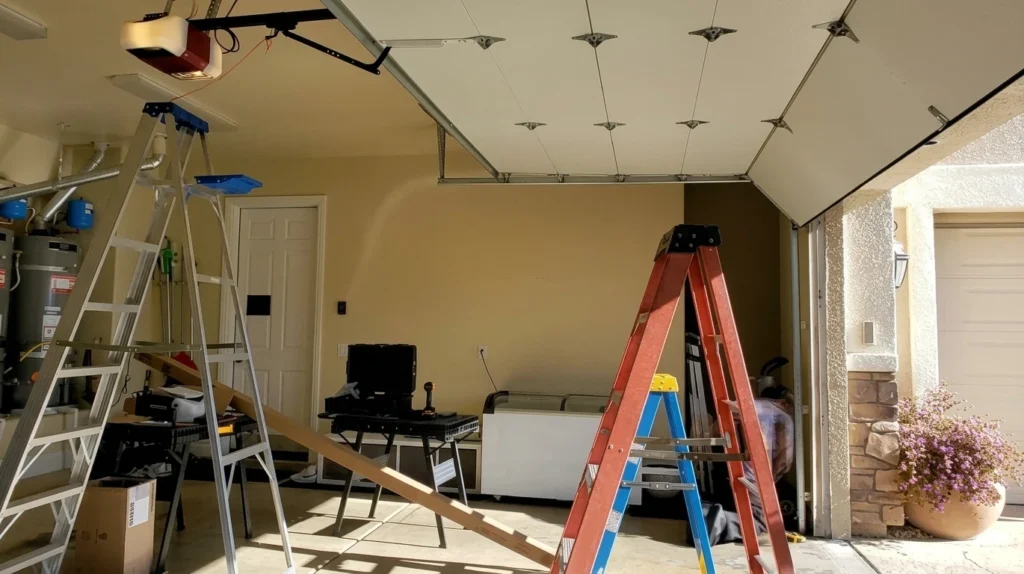
- You call or send the form. Tell us what you need reset.
- We check the opener first. A reset is not always the fix.
- We erase and reprogram if you want it. Remotes, keypads, and your car button.
- We test everything and the safety reverse before we leave.
Reset and Reprogramming Questions in Las Vegas
How do I reset my garage door opener?
It depends on what you need. A power reset means unplugging the opener for about a minute. Erasing the memory means holding the Learn button until the light goes out. Pick the one that matches your problem.
Will resetting my opener erase my remotes?
A power reset should not. Holding the Learn button until the light goes out erases every remote and keypad at once, according to LiftMaster support.
How long do I hold the Learn button to erase the memory?
On LiftMaster and Chamberlain openers, hold it until the LED turns off, which is about 6 seconds, according to LiftMaster support. Other brands differ, so check your manual.
Should I reset my opener after buying a home?
Yes, it is a good idea. Erasing the memory removes the remotes and keypad codes the old owner may still have. Then reprogram the ones you want to keep.
My remote stopped working. Should I reset the opener?
Try a new battery and check the Lock button first. Reset only if the remote still fails. See our remote guide.
Will a reset fix a door that will not open or close?
Rarely. Most of those problems come from power, locks, sensors, or worn parts. See our opener not working guide.
Can I reset the travel limits and force myself?
Those are separate settings, and they are not a reset. Chamberlain warns that improper travel adjustment can interfere with the safety reverse. Test with a 2 by 4 afterward, or call us.
Will erasing the memory disconnect my smart devices?
It can, so plan to reconnect them. LiftMaster support lists reconnecting to a myQ smart device as a step after you erase the memory.
Can you reset and reprogram my opener for me?
Yes. We erase the memory if you want it, then program your remotes, keypads, and car button, and test everything.
How much does a reset and reprogramming visit cost?
It depends on how many devices need programming and whether something else is wrong. You get the total before work starts. Our repair cost guide explains what changes the price.
Call King Garage Opener to Reset or Reprogram Your Opener
Tell us what you need. We check the opener, explain what a reset will and will not fix, and give you the total before we start. Emergency service is available 24/7.
King Garage Opener
- 3058 E Sunset Rd, Las Vegas, NV 89120
- Phone: (702) 829-2196
- Hours: Monday to Friday, 8 AM to 6 PM. Emergency service: 24/7